

The Membership page shows your current level, what it includes, and the next level you can move to. To open it, select Manage membership in your business workspace header.
Step 1: Your current membership level
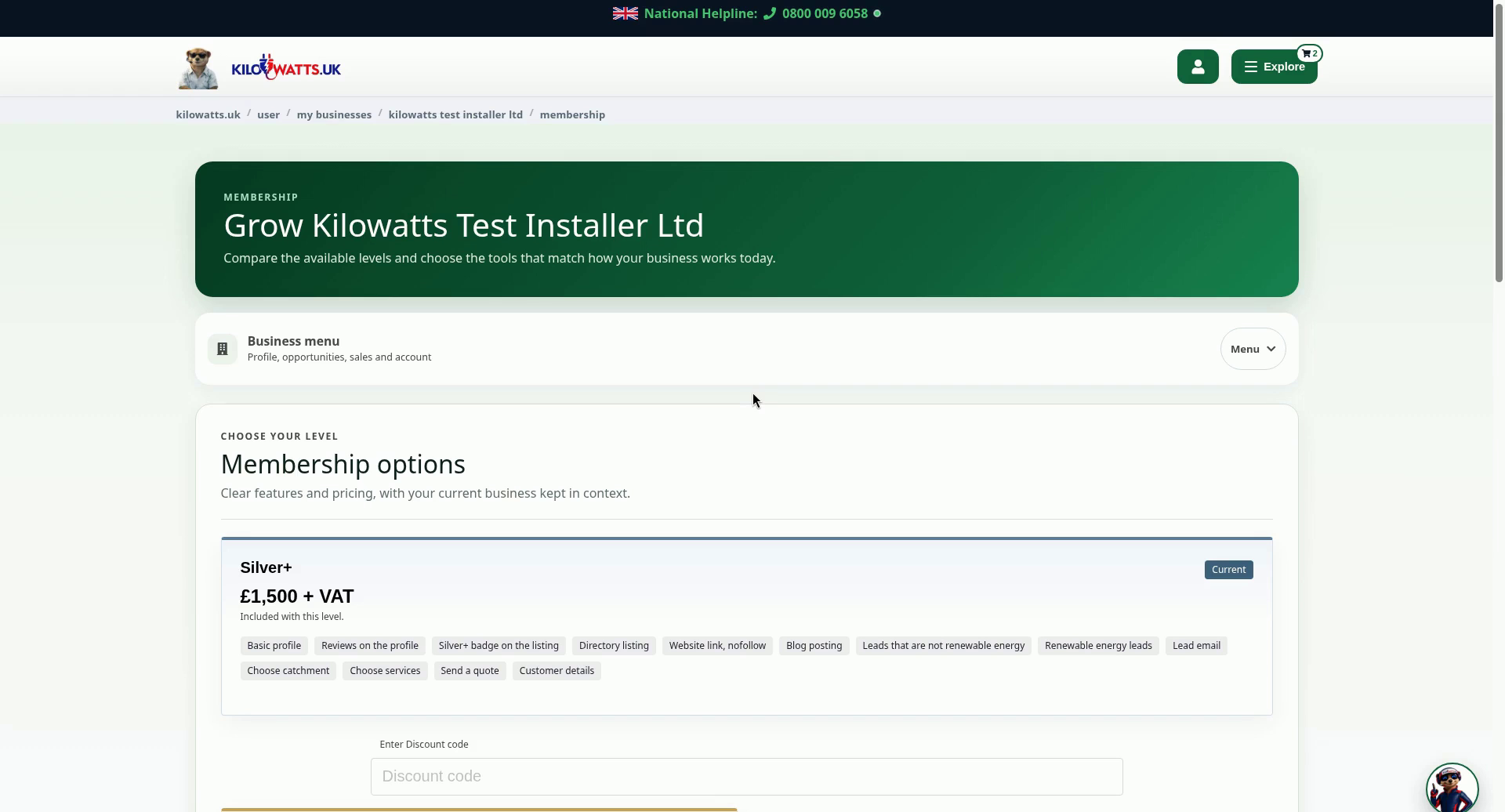
The page opens with Grow [your business name]. Under Membership options, your current level is marked Current. In this example that is Silver+ £1,500 + VAT. The tags list what is Included with this level. If you have a discount code, enter it in the Enter Discount code box.
Step 2: Compare the next level
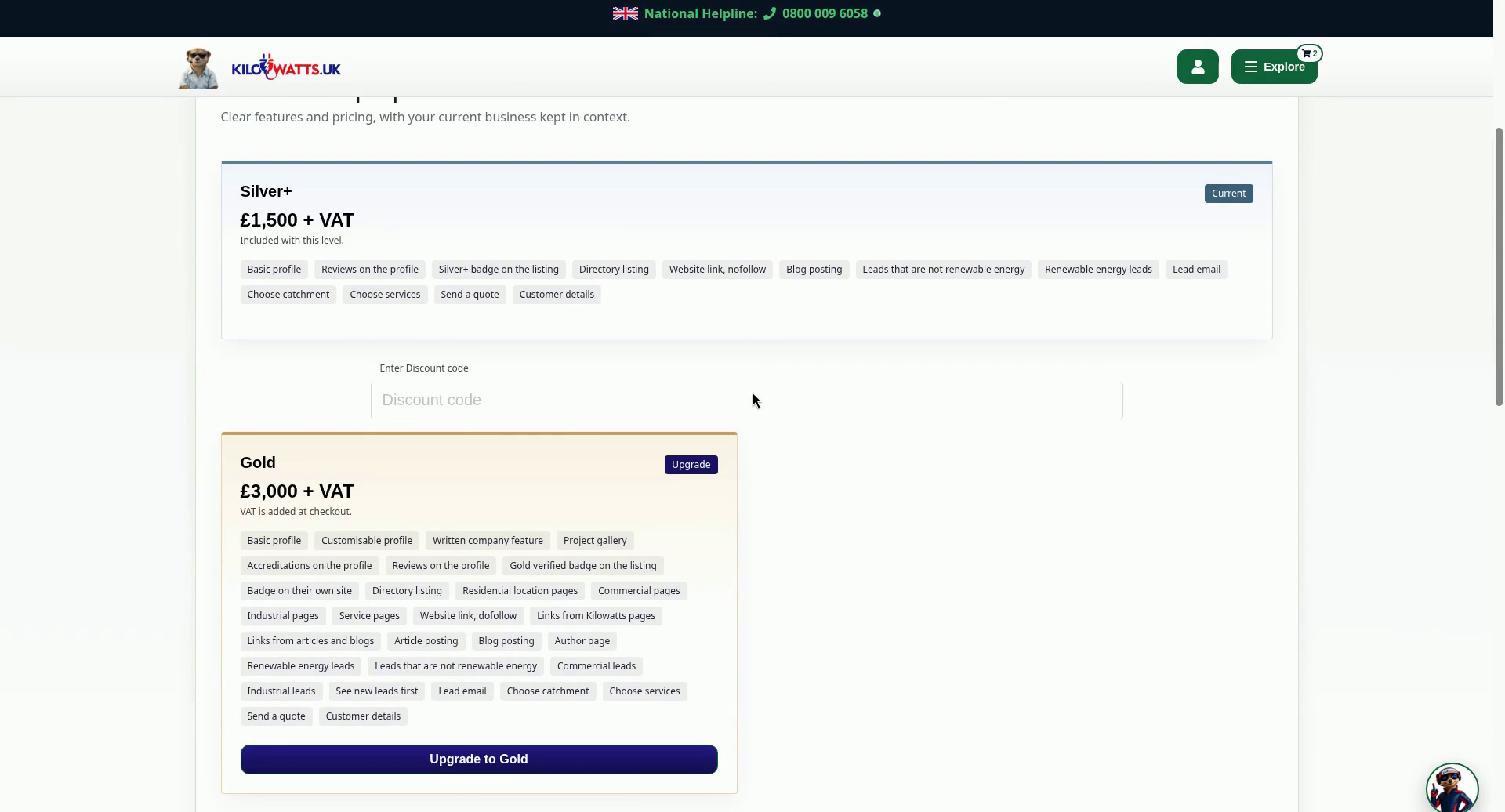
The next level is marked Upgrade. In this example that is Gold £3,000 + VAT, and the page notes that VAT is added at checkout. Its tags show what Gold includes.
Step 3: Upgrade to Gold when you are ready
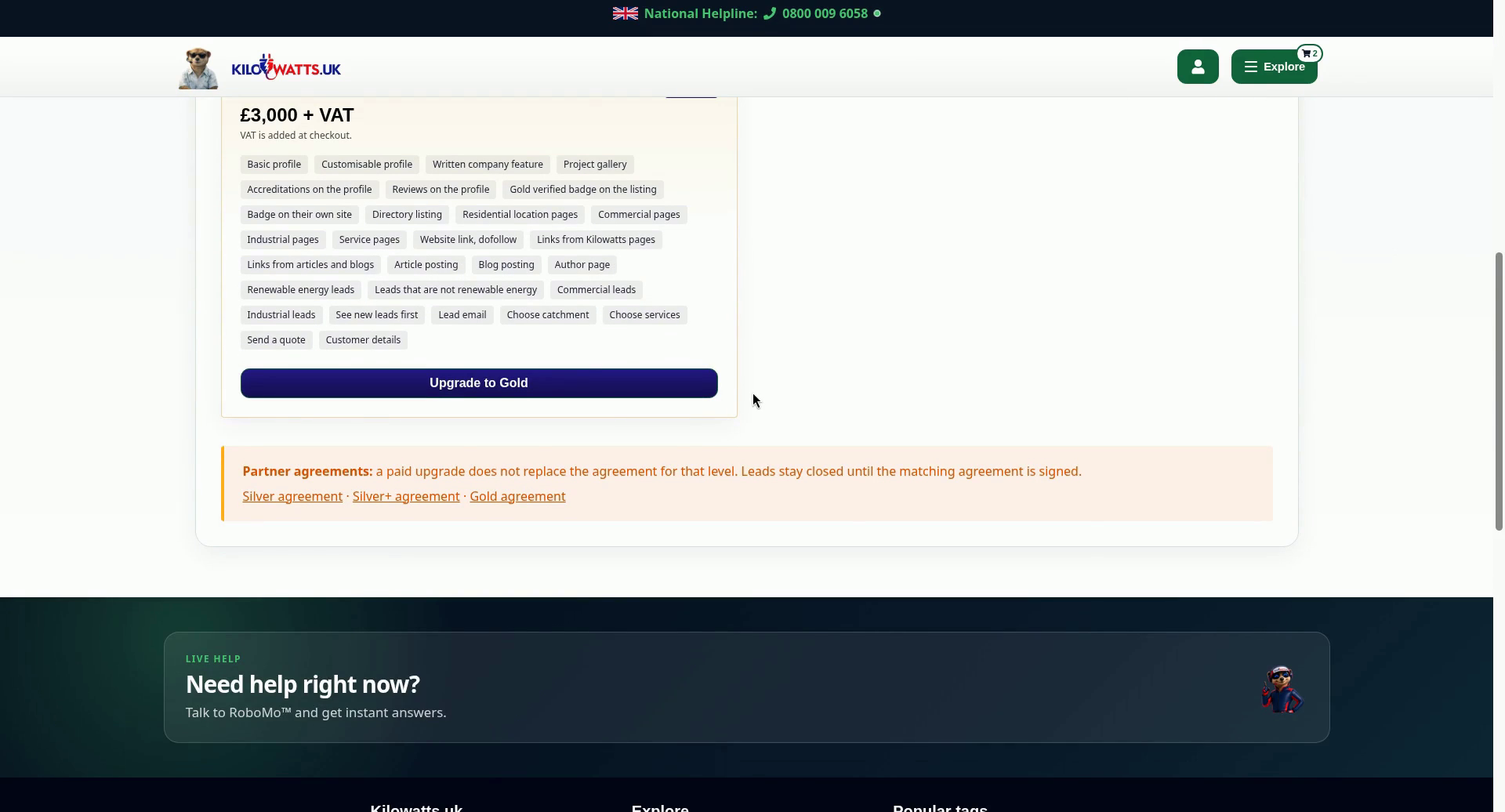
Select Upgrade to Gold if you want to move up. The Partner agreements notice explains that a paid upgrade does not replace the agreement for that level. Leads stay closed until the matching agreement is signed. Links to the Silver, Silver+ and Gold agreements are underneath.
Prices are shown exactly as they appear on the page at the time of recording. Always check the Membership page for current pricing.