

Submitted quotes lists the proposals your business has sent and shows each one's current status.
Step 1: Open Submitted Quotes
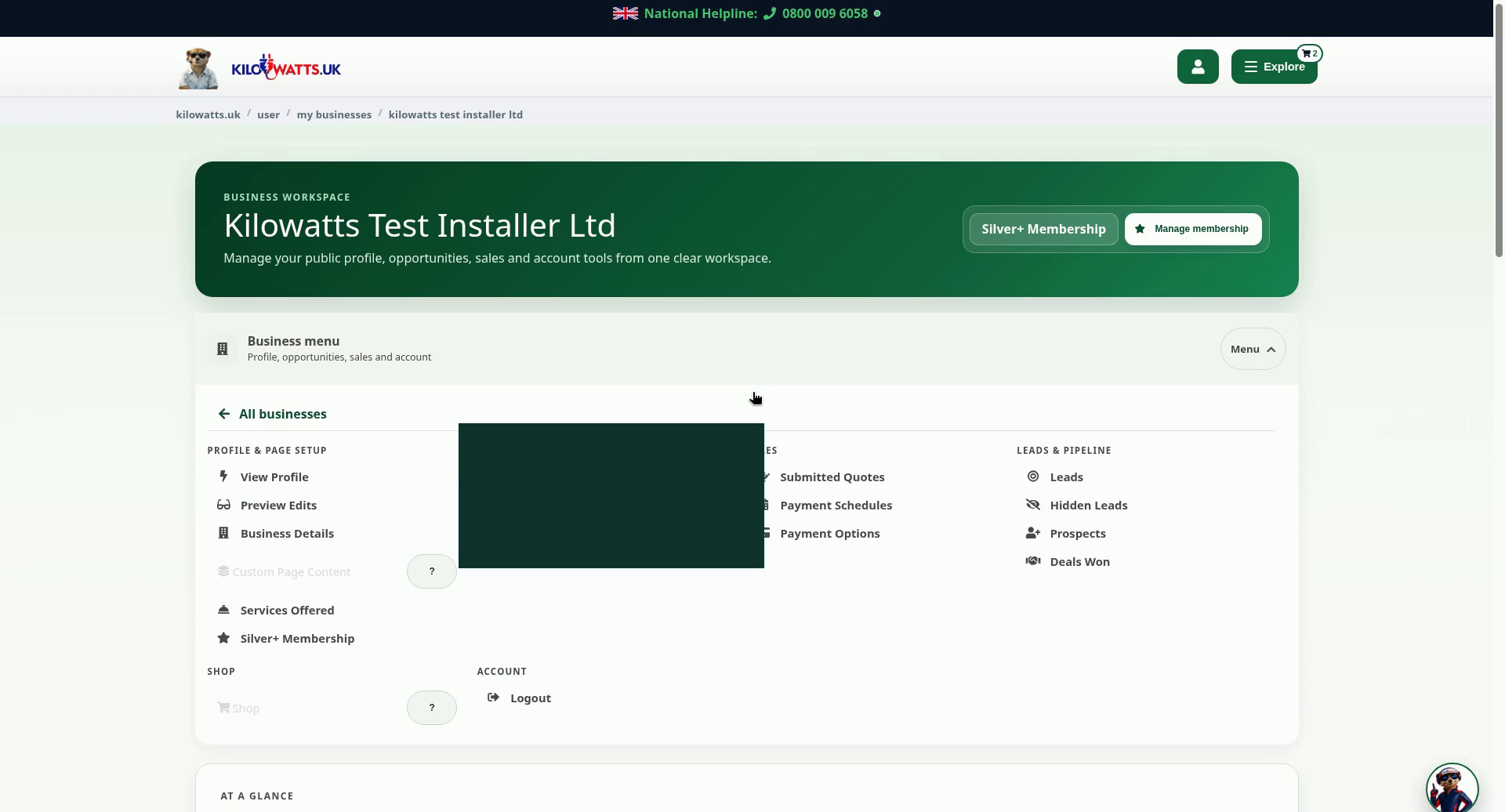
In your business workspace, select Menu on the Business menu bar. Under Sales, choose Submitted Quotes. You can also use the Quotes button on your business card.
Step 2: Track quotes you have sent
Each row shows the quote date and time, the project title, the Amount, the Distance and the Status (for example pending). Select Open to see a quote's details. Use the controls above the list to change the sort order (Last Mod, Descending), the number shown per page, or to Filter the list.
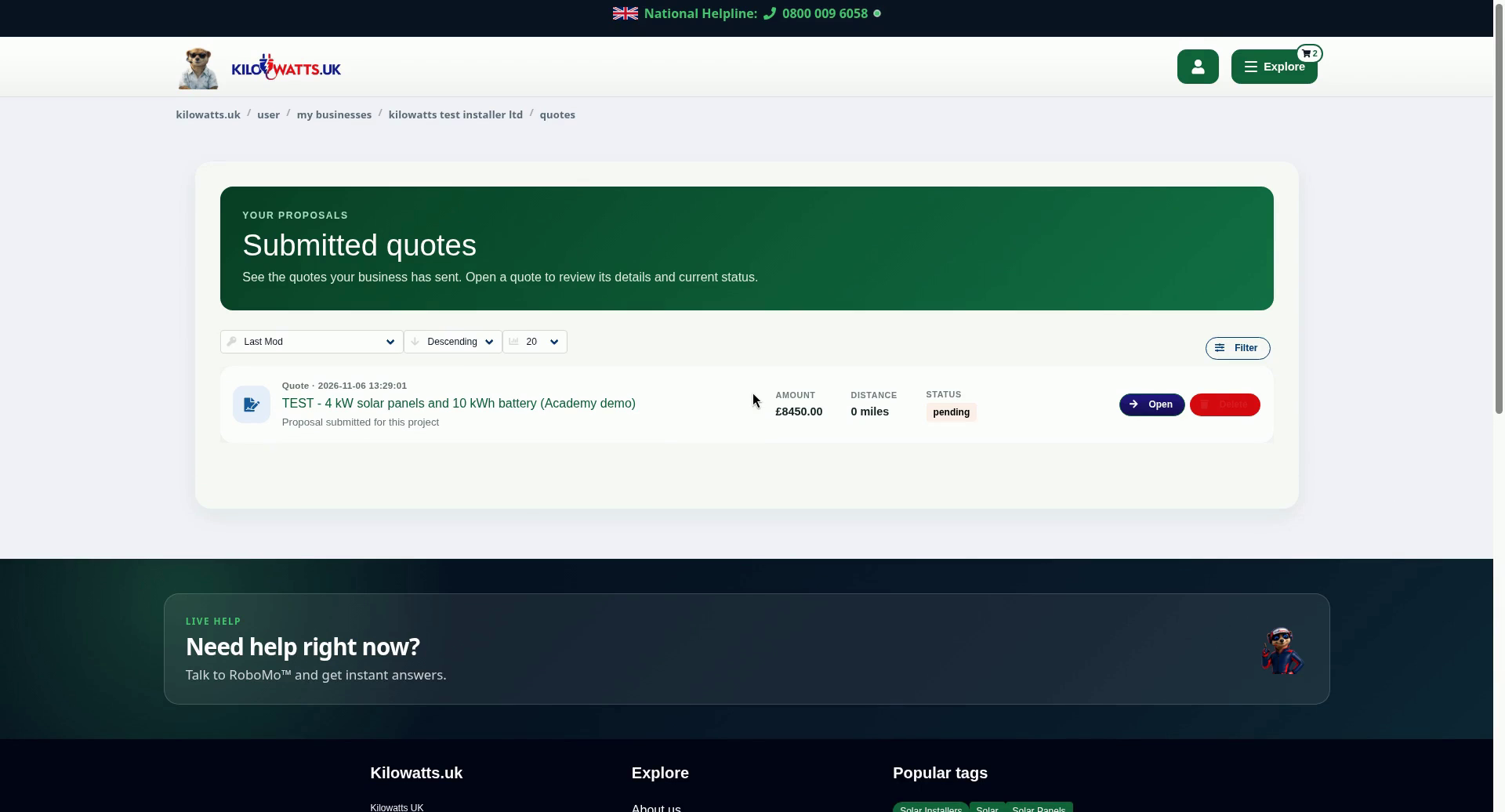
The quote shown is a test quote.