LinkedIn profile for David Coleman David Coleman
Founder & Renewable Energy Author, kilowatts.uk


LinkedIn profile for David Coleman David Coleman
Founder & Renewable Energy Author, kilowatts.uk
Article
Can a home battery work during a power cut in the UK? A home battery can work during a power cut in the UK, but only if it has the right setup.
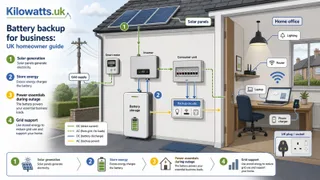
Can a home battery work during a power cut in the UK? A home battery can work during a power cut in the UK, but only if it has the right setup.
The short answer for a UK home is unchanged. A home battery will not automatically keep the lights on in a power cut. It only does so if the inverter and wiring are set up for backup or island operation, and if enough energy is held back for that job.
Many systems bought for solar self-consumption or cheaper overnight charging still shut down when the grid fails. That is a safety feature, not a fault. If backup matters, ask whether the kit has a dedicated backup output or an essential loads board, and which sockets stay live. A whole-house promise is still the exception, not the default.
November is a poor month to assume solar will refill the battery during an outage. Daylight is short, and a battery used for evening heating or tariff shifting may already be low when the power goes. A reserve setting can help, but it reduces the energy available for daily bill savings. Runtime still depends on usable capacity and the loads left connected, not the headline kilowatt-hour figure alone. If you run a home office, workshop or mixed-use property, the rest of this page still explains why selected circuits are easier to support than a whole building, and when a commercial backup system is the better conversation. Adding storage to an existing array is covered in adding a battery to an existing solar system. This note is not a quote, a grant ruling, or a substitute for the installer's check of your supply, earthing and manufacturer limits.
The update above is what has changed since then.
A home battery can keep selected equipment running during a power cut, but only if the system is designed for backup. For a UK home, that means checking which essential circuits will be supplied, whether the inverter supports backup operation, and whether the battery has enough usable capacity for the loads that matter. Home offices, workshops and mixed-use properties need the same checks for their chosen equipment.
The key factors are the equipment you need to keep on, the peak power it draws, how long it must run, whether it needs instant switchover, and whether the property is domestic, commercial or mixed use. A router and laptop are a very different backup problem from refrigeration, pumps, electric heating, machinery or three-phase loads.
Battery backup is worth considering when downtime has a clear cost or risk. It may protect trading, client work, security, communications or stock, but it is not a guaranteed whole-building power supply. It should not be specified from battery capacity alone.
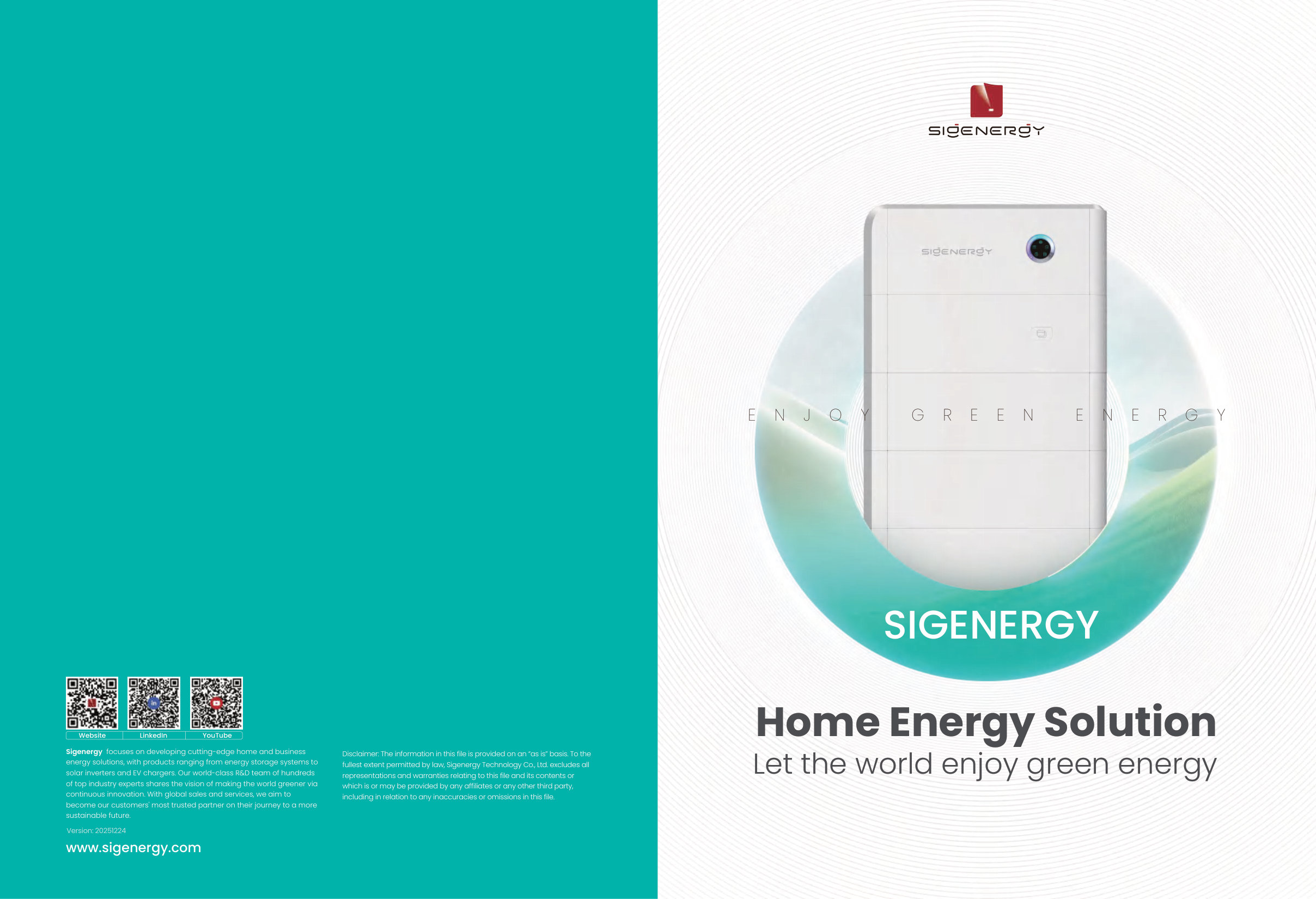
A standard solar battery stores electricity for later use, often to increase solar self-consumption or shift consumption away from expensive tariff periods. That does not mean it will power your property when the grid fails. Many grid-tied systems shut down in a power cut unless they have suitable backup, emergency power supply or islanding capability. For a homeowner-level overview, see how a battery can behave during a power cut.
A true backup arrangement needs the correct inverter, controls, protection and electrical separation so the system does not energise the public network during an outage. Many installations use an essential loads board that supplies only selected circuits. This is usually easier to control than trying to back up every circuit in the property.
The distinction matters because buyers often assume a battery is a direct replacement for a generator or UPS. It may be part of a resilience plan, but its behaviour during an outage depends on the exact design, the manufacturer's backup limits, the wiring arrangement, the state of charge and the loads connected to it.
The best starting point is a load list, not a product list. Write down the equipment that must keep running, its approximate power demand, whether it has a high start-up surge, and how long it needs to run without grid power. An installer can then judge whether a domestic-style battery, a larger commercial battery storage system, a UPS, a generator, or a combination is more suitable.
For many home-based businesses, the essential list is modest. It may include broadband, Wi-Fi, laptop charging, lighting, an alarm, phone charging and perhaps low-power point-of-sale equipment. For rural businesses, workshops and premises with refrigeration or pumps, the design becomes more demanding because motors and compressors can draw much more power when starting than when running.
A battery can power your router, but it cannot guarantee that the external broadband network, mobile mast or payment provider remains operational. If communications are business-critical, resilience planning should include alternative connectivity as well as power.
Runtime depends on usable battery capacity, the actual average load, inverter losses, reserve settings and whether the battery is already partly discharged when the outage starts. The basic sizing idea is simple: usable energy in kilowatt-hours divided by average load in kilowatts gives an approximate runtime in hours, before allowing for losses and safety margins. These examples are for discussion only. They are not a design calculation, because real equipment can behave differently in use and some loads have a start-up surge much higher than their running load.
| Example backup load | What the calculation shows | Important caveat |
|---|---|---|
| Router, Wi-Fi and one laptop averaging about 100 W | Around 1 kWh of usable energy could support roughly 10 hours before losses and reserve settings | External broadband and mobile networks may still fail during a wider outage |
| Small home office circuit averaging about 300 W | Around 3 kWh of usable energy could support roughly 10 hours before losses and reserve settings | Printers, heaters, kettles and extra monitors can change the load quickly |
| Small refrigeration or pump load averaging about 500 W | Around 5 kWh of usable energy could support roughly 10 hours before losses and reserve settings | Compressor and motor start-up current must be checked against the inverter's backup output |
The practical lesson is that a low-power office can often be a manageable backup load, while appliances with motors, compressors or heating elements need more careful assessment. A kettle, fan heater, immersion heater, oven or large tool can overwhelm a backup output or drain the battery far faster than expected.
Whole-property backup sounds attractive, but it is rarely the simplest or most cost-effective first option for a homeowner running a business. It risks connecting high-demand circuits such as ovens, showers, immersion heaters, EV chargers, heat pumps, workshop tools or other heavy loads that can drain or overload a battery quickly.
Essential-load backup is usually a more controlled design. The installer separates the circuits that matter during an outage and leaves non-essential circuits off the backup supply. That helps keep the battery within its power rating and improves the chance that the stored energy lasts for the period you actually need. For many business sites, this is closer to a critical circuit backup approach than a full-building backup promise.
This approach also makes handover clearer. Everyone using the property should know which sockets, lights and systems are backed up, and which are not. Labelling, isolation points and documentation matter because future electricians, tenants, staff or emergency responders need to understand the arrangement.
Solar PV can make battery backup more useful because the battery may be recharged during daylight, but UK solar output is seasonal and weather-dependent. Winter backup planning should not rely on optimistic summer generation. A system that looks comfortable in June may behave very differently during a dark, wet December week. If PV is part of the wider plan, it can help to review commercial solar options before finalising the backup design.
Time-of-use tariffs can also support battery economics by charging the battery when electricity is cheaper and using it later, but that is a bill-saving strategy rather than a resilience guarantee. If the battery has been used heavily before an outage, it may not be full when the power cut starts unless the controls reserve capacity for backup.
Generators still have a place where outages are long, loads are high, or the business cannot tolerate extended interruption. In some designs, a UPS protects sensitive equipment for near-instant continuity, while a battery or generator supports longer runtime. The right answer depends on whether the problem is a brief interruption, several hours without power, or a multi-day resilience requirement.
There is no reliable single cost for battery backup for business because the phrase covers very different jobs. A small selected-load home office backup design is not comparable with a three-phase workshop, a refrigeration-heavy shop, a farm site or a commercial building with a dedicated plant area. Current pricing also changes with equipment choice, labour, electrical condition, location and the scope of works. For a homeowner, the lower-complexity end is usually a selected-load arrangement using compatible battery equipment and a clearly defined essential loads board. More complex quotes arise where the installation needs significant consumer unit or distribution board work, long cable runs, outbuildings, plant-room changes, three-phase equipment, export limitation, additional protection, or integration with existing solar PV. Savings also vary. Some businesses buy batteries mainly for bill management, some for solar self-consumption, and some for continuity. Backup value is often about avoiding disruption rather than producing a simple energy-bill payback. That makes it important to estimate the cost of downtime, not just the cost per unit of electricity.
| Decision area | Why it changes the business case | What to check early |
|---|---|---|
| Backup runtime | Longer runtime needs more usable stored energy or lower connected loads | Hours required and which circuits are essential |
| Power rating | High-demand equipment may exceed what the inverter can supply at once | Running load and start-up surge of equipment |
| Solar PV | Solar can improve self-consumption and daytime recharge, but output varies | Existing inverter compatibility and seasonal generation |
| Electrical works | Backup often needs separate circuits, protection and clear isolation | Consumer unit space, cable routes and essential loads board |
| Downtime value | Resilience may be justified by avoided disruption rather than energy savings | Lost sales, missed deadlines, stock risk or security exposure |
| Site complexity | Mixed-use and three-phase sites can need more design time and electrical work | Supply type, outbuildings, cable routes and business use |
Be cautious with simple payback claims. Grants, tax treatment, VAT, export payments and tariff rules can change, and eligibility may differ between domestic, mixed-use and business premises. A current quote and advice specific to your property and business use are more reliable than generic assumptions.
Battery systems and solar inverters interact with the electricity network, so the installer must consider the Distribution Network Operator process for the property. Depending on the equipment, export capability and site arrangement, this may involve a notification or application route such as G98 or G99, and export limitation arrangements may bring G100 considerations into the design. The exact route should be confirmed by the installer rather than guessed from a headline battery size.
The electrical design should also be suitable for BS 7671 requirements and the manufacturer's instructions, including isolation, protection, earthing arrangements, cable sizing, labelling and safe operation during a grid outage. If solar PV is involved, the installer should also consider the relevant MCS guidance and product compatibility, especially where an existing solar inverter is being paired with a new battery or backup output.
For a homeowner, the property may be single-phase, while some farms, workshops and commercial premises use three-phase supplies. Three-phase backup can be more complex because loads may be spread across phases, some equipment may require all phases, and the protection design must be suitable. This is one reason a 'home battery' quote can change significantly when the installer reviews the actual site.
Siting is part of the design, not an afterthought. Installers will look at manufacturer clearances, access for maintenance, cable routes, wall strength, weather exposure, temperature, ventilation, impact risk, escape routes, flood risk and nearby combustible storage. These practical details can determine whether a proposed battery location is acceptable.
Battery location can also affect insurance, landlord consent and future maintenance. If the property is leased, insured for business use, or partly commercial, the landlord, insurer or facilities manager may need to be involved before work starts. This is especially important where the battery is installed in an outbuilding, garage, utility space, plant room or area used by staff or customers.
A good installer should be able to explain why a location has been chosen and what limitations apply. If the proposed position blocks access, is vulnerable to impact, is exposed to unsuitable temperatures, or conflicts with manufacturer instructions, it should be reconsidered before the quote is accepted.
Battery backup is not the right answer for every business problem. It is strongest where the critical load is defined, the required runtime is realistic, and the value of continuity is clear. It becomes harder to justify when the business expects a compact battery to support large heating, cooking, industrial or motor loads for long periods.
A UPS may be better for sensitive IT that needs near-instant ride-through during short interruptions. A generator may be more suitable for long outages or heavy continuous loads. A larger commercial battery energy storage system may be suitable where the premises has significant solar PV, peak-load issues or three-phase electrical infrastructure, but that becomes a more involved design and quotation process. Larger premises may need a dedicated industrial battery storage assessment rather than a domestic-style specification.
The main mistake is buying storage before defining the outage problem. If you only need to keep broadband and laptops running, a modest selected-load solution may be enough. If you need refrigeration, pumps, machinery or full-site operation, the specification needs a proper survey and a more detailed resilience plan.
A good quote should start with questions about the business, not just the battery brand. The installer needs to understand which equipment matters, what can be turned off, whether a short interruption is acceptable, and whether the aim is resilience, bill savings, solar self-consumption or all three.
They should also inspect the electrical installation. Consumer unit or distribution board space, earthing, circuit identification, existing solar equipment, metering, cable routes and battery location can all change the design. If the property has previous alterations, outbuildings, workshops or mixed domestic and business use, the survey becomes more important.
Do not accept a quote that promises whole-property backup without explaining limits. The design should state what is backed up, what is not backed up, how switchover behaves, what happens if loads exceed the system's rating, and whether any reserve capacity is being held for outages.
Start by writing a simple outage plan. List the equipment that must keep running, the acceptable downtime, the number of hours you want, and the consequences if power is lost. That information will make conversations with installers much more productive and will reduce the risk of oversizing or underspecifying the system.
Next, decide whether your priority is resilience, lower bills, better use of solar, or a combination. Those goals can point to different designs. A battery sized for tariff shifting is not automatically suitable for backup, and a backup reserve setting may reduce the energy available for daily bill savings.
For a home-based business, ask for a design that separates essential loads and clearly explains runtime assumptions. For a dedicated commercial or industrial site, expect a more detailed survey covering three-phase loads, plant space, network connection, protection, insurance and operational requirements. The right commercial backup system is the one matched to the actual risk, not the one with the largest headline capacity.
Solar comparison
Enter your postcode to assess your roof, compare solar options and get quotes from UK installers.
Choose home, business or industrial, then enter your postcode. RoboMo maps the roof and ranks panel brands by fit.
1. Postcode Start the assessment for your property.
2. Pin the roof Mark the array on the map.
3. Compare RoboMo™ builds your options.

Battery ROI tool
Enter the day rate, off-peak rate and export rate. The calculator ranks batteries in the Kilowatts shop over 10 years. Home batteries also suit offices and small commercial sites.
Reading
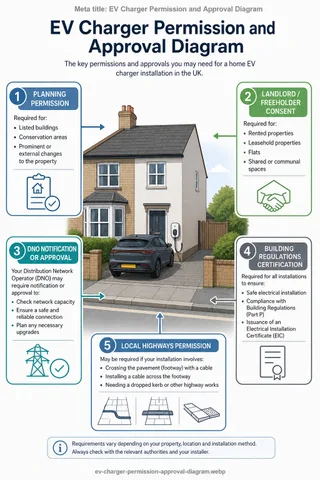
However, 'no planning permission' does not mean 'no checks, approvals or paperwork'.
Read article
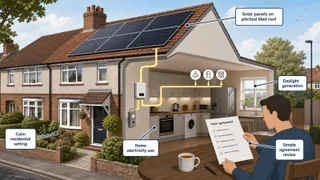
A power purchase agreement solar deal is a long-term contract where a third party funds, owns and usually maintains solar panels on your roof.
Read article
Read article
Understand 800w solar panel in the UK, with clear explanations, examples, and practical next steps.
Read article
Write for Kilowatts.uk
Write it here under your own name. Sign in, put a profile up, and start a guide. Pay only if you want more links from your articles out to your own site.
Create a Kilowatts.uk account, or sign in if you already have one.
Put your name, photo and experience on a public author page.
Write a guide or a blog. Free authors can put one followed link to their own site in articles each month.
FAQ
Live help
Talk to RoboMo™ and get instant answers.
Live chat